Pinhole
Camera perspective projection (a.k.a. intrinsics).
If archetypes.Transform3D is logged for the same child/parent relationship (e.g. for the camera extrinsics), it takes precedence over archetypes.Pinhole.
If you use explicit transform frames via the child_frame and parent_frame fields, you don't have to use archetypes.CoordinateFrame
as it is the case with other visualizations: for any entity with an archetypes.Pinhole the viewer will always visualize it
directly without needing a archetypes.CoordinateFrame to refer to the pinhole's child/parent frame.
Fields fields
Required required
image_from_camera:PinholeProjection
Recommended recommended
resolution:Resolution
Optional optional
camera_xyz:ViewCoordinateschild_frame:TransformFrameIdparent_frame:TransformFrameIdimage_plane_distance:ImagePlaneDistancecolor:Colorline_width:Radius
Can be shown in can-be-shown-in
API reference links api-reference-links
Examples examples
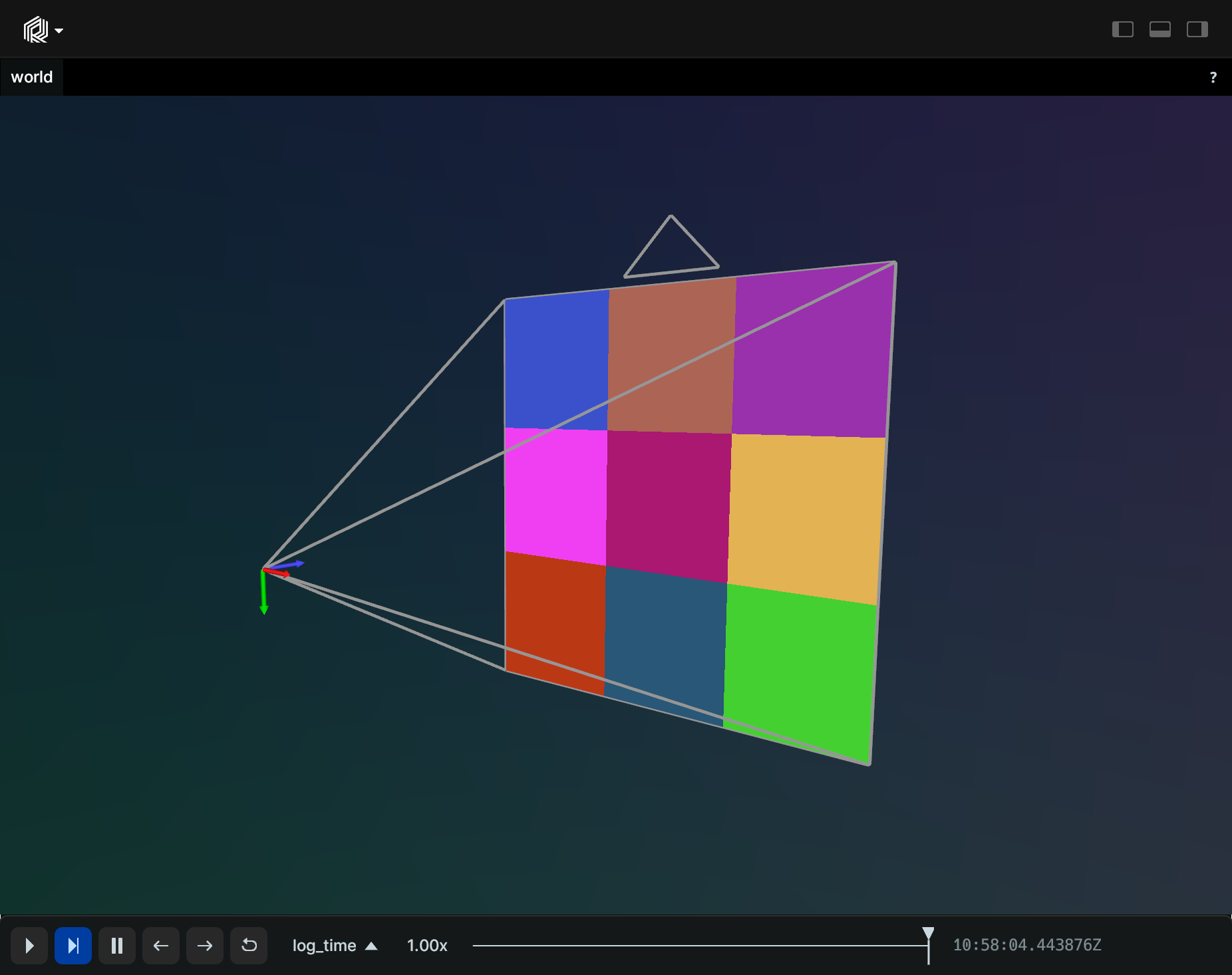
Simple pinhole camera simple-pinhole-camera
"""Log a pinhole and a random image."""

import numpy as np
import rerun as rr

rr.init("rerun_example_pinhole", spawn=True)
rng = np.random.default_rng(12345)

image = rng.uniform(0, 255, size=[3, 3, 3])
rr.log("world/image", rr.Pinhole(focal_length=3, width=3, height=3))
rr.log("world/image", rr.Image(image))
Perspective pinhole camera perspective-pinhole-camera
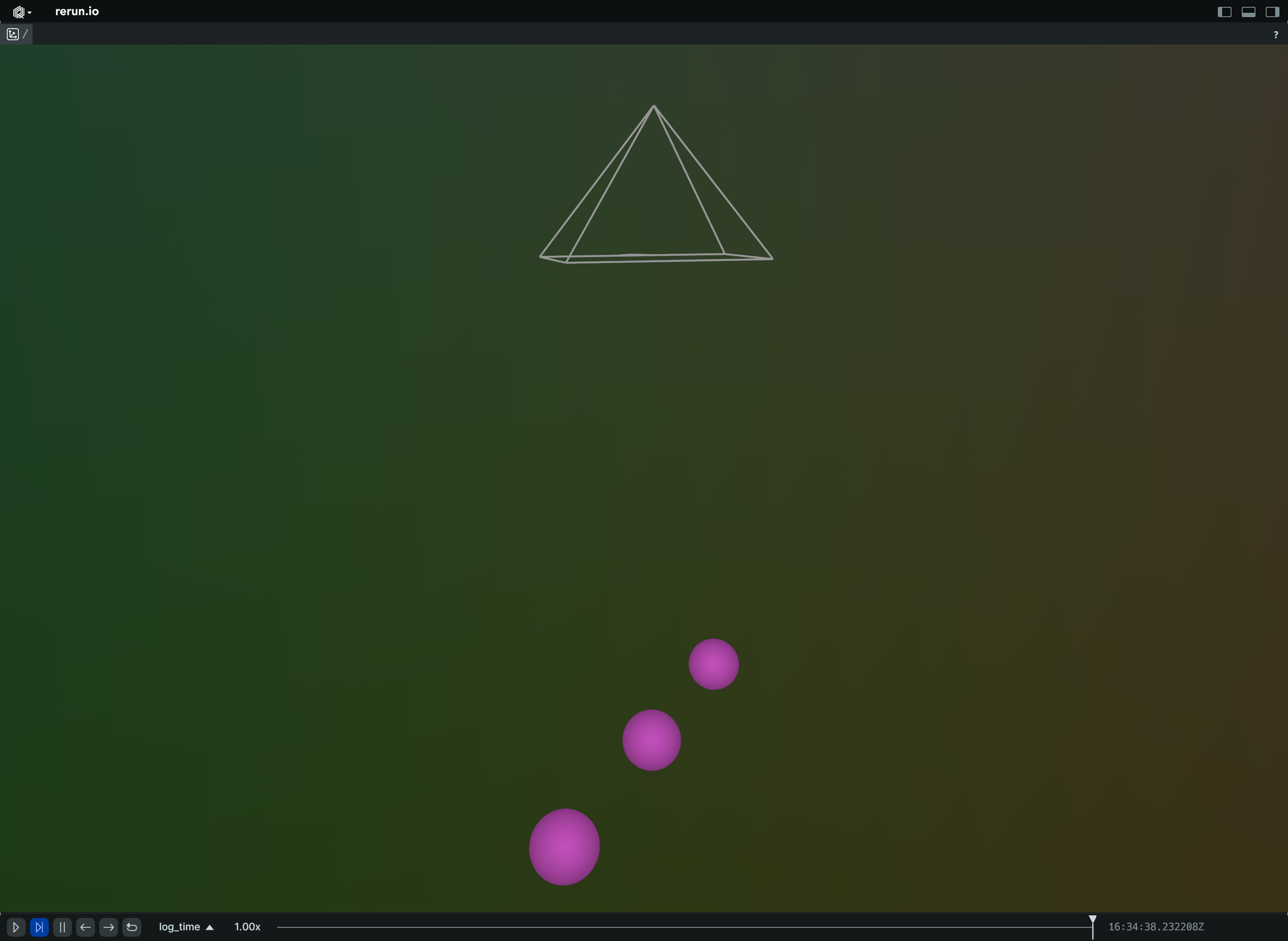
"""Logs a point cloud and a perspective camera looking at it."""

import rerun as rr

rr.init("rerun_example_pinhole_perspective", spawn=True)

rr.log(
    "world/cam",
    rr.Pinhole(
        fov_y=0.7853982,
        aspect_ratio=1.7777778,
        camera_xyz=rr.ViewCoordinates.RUB,
        image_plane_distance=0.1,
        color=[255, 128, 0],
        line_width=0.003,
    ),
)

rr.log("world/points", rr.Points3D([(0.0, 0.0, -0.5), (0.1, 0.1, -0.5), (-0.1, -0.1, -0.5)], radii=0.025))
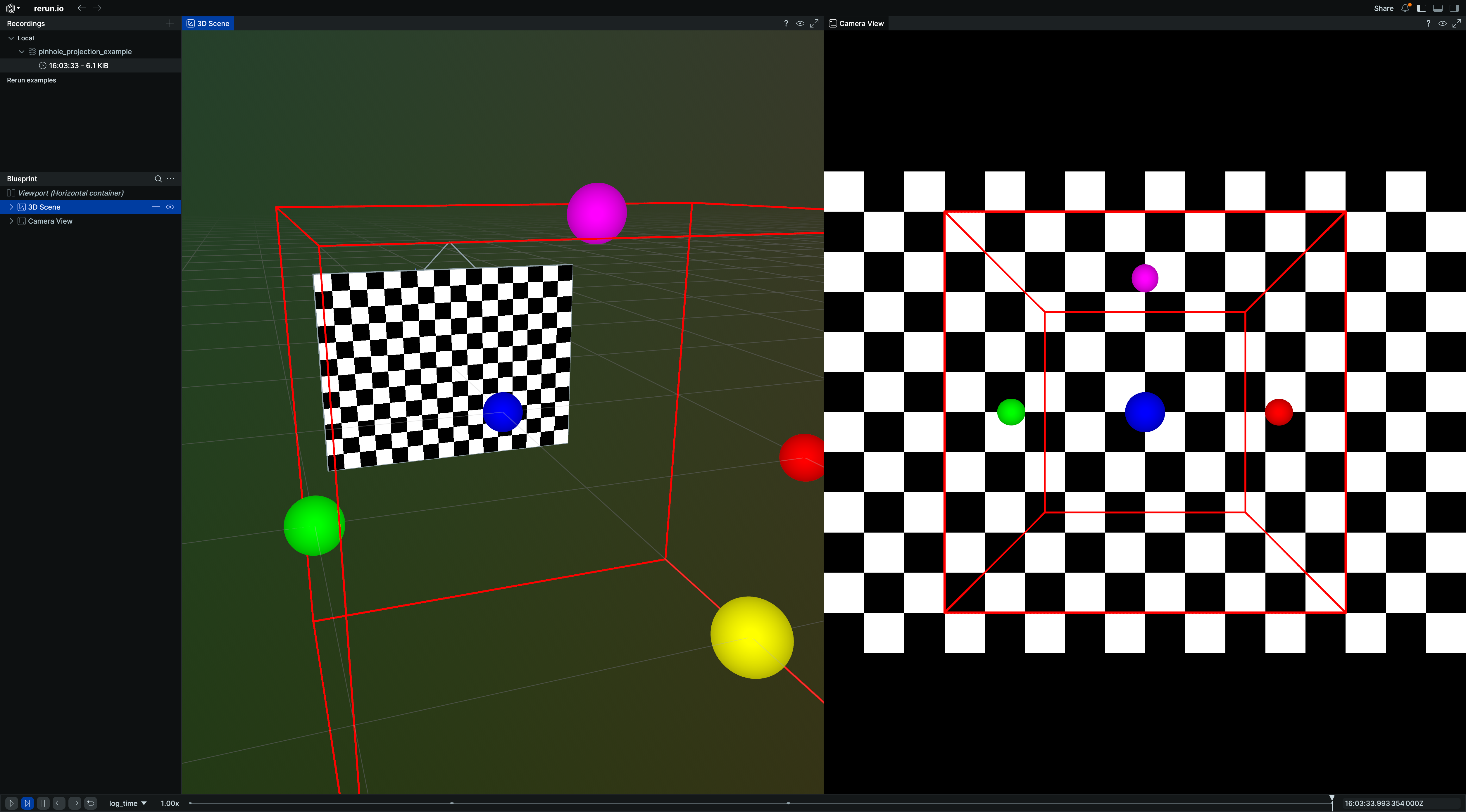
Projection setup with blueprints projection-setup-with-blueprints
"""Demonstrates pinhole camera projections with Rerun blueprints."""

import numpy as np
import rerun as rr
import rerun.blueprint as rrb

rr.init("rerun_example_pinhole_projections", spawn=True)

img_height, img_width = 12, 16

# Create a 3D scene with a camera and an image.
rr.log("world/box", rr.Boxes3D(centers=[0, 0, 0], half_sizes=[1, 1, 1], colors=[255, 0, 0]))
rr.log(
    "world/points",
    rr.Points3D(
        positions=[(1, 0, 0), (-1, 0, 0), (0, 1, 0), (0, -1, 0), (0, 0, 1)],
        colors=[(255, 0, 0), (0, 255, 0), (0, 0, 255), (255, 255, 0), (255, 0, 255)],
        radii=0.1,
    ),
)
rr.log(
    "camera",
    rr.Transform3D(translation=[0, 3, 0]),
    rr.Pinhole(width=img_width, height=img_height, focal_length=10, camera_xyz=rr.ViewCoordinates.LEFT_HAND_Z_UP),
)
# Create a simple test image.
checkerboard = np.zeros((img_height, img_width, 1), dtype=np.uint8)
checkerboard[(np.arange(img_height)[:, None] + np.arange(img_width)) % 2 == 0] = 255
rr.log("camera/image", rr.Image(checkerboard))

# Use a blueprint to show both 3D and 2D views side by side.
blueprint = rrb.Blueprint(
    rrb.Horizontal(
        # 3D view showing the scene and camera
        rrb.Spatial3DView(
            origin="world",
            name="3D Scene",
            contents=["/**"],
            overrides={
                # Adjust visual size of camera frustum in 3D view for better visibility.
                "camera": rr.Pinhole.from_fields(image_plane_distance=1.0)
            },
        ),
        # 2D projection from angled camera
        rrb.Spatial2DView(
            origin="camera",  # Make sure that the origin is at the camera's path.
            name="Camera",
            contents=["/**"],  # Add everything, so 3D objects get projected.
        ),
    )
)

rr.send_blueprint(blueprint)